Masano Google Slide Template: A Complete Design Kit
Imagine opening a presentation template and realizing you have everything you need to build a polished, professional pitch in minutes. That's the experience the Masano Google Slide Template delivers. With over 150 meticulously crafted slides, it's not just a template—it's a complete design system for anyone who needs to communicate ideas with clarity and visual impact.
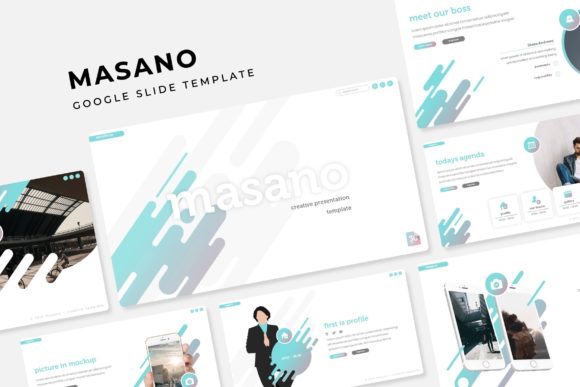
At its core, the Masano Google Slide Template is built for versatility and ease of use. It arrives in five premade color variations, each containing 30 unique slides. This means you get a cohesive visual language right out of the box, whether you're preparing a corporate report, a creative portfolio, or a startup pitch deck. The consistent color palette across each variation ensures your presentation looks harmonious and intentional, saving you the guesswork of manual color matching.
Features Designed for Real-World Use
What makes this template stand out are the practical features that streamline your workflow. Every element is based on master slides, which means changes are consistent and global. Need to adjust a font or color? Do it once on the master, and it updates everywhere. The pixel-perfect illustrations and handcrafted infographics are ready to visualize data, making complex information easy to grasp at a glance.
For those who work with imagery, the picture placeholders are a game-changer. Simply drag and drop your photos into the pre-sized frames, and the template handles the cropping and positioning. This is perfect for creating gallery or portfolio slides that showcase work in a clean, professional grid. The resizable and editable graphics mean you're never stuck with a static element—you can scale, recolor, and adapt icons and shapes to fit your specific needs.
The package is thoughtfully curated to get you started immediately. It includes:
- 5 PPTX Files for PowerPoint and 5 PPTX Widescreen files for Google Slides.
- A helpful Readme First file and links to download the free fonts used, ensuring your design looks exactly as intended.
Finding the Right Fit for Your Project
Choosing a template like this is about more than just aesthetics; it's about finding a tool that aligns with your project's goals. The Masano template's clean, modern typography and structured layouts make it ideal for a wide range of applications. Think beyond standard presentations: use it for designing sleek social media graphics, creating visual reports, or even as a foundation for brand identity guidelines. The consistent design language helps reinforce brand recognition and professionalism.
When using any design asset, a few tips can elevate your results. First, always preview the slides to ensure the mood matches your message. The neutral color options are great for formal business, while the bolder variations can energize a creative proposal. Second, leverage the infographic slides to tell a data-driven story—charts and diagrams often communicate more effectively than text alone. Finally, remember that the best presentations feel cohesive. Use the provided master slides as your foundation to maintain visual consistency from the first slide to the last.
The right presentation template does more than organize information; it enhances how your ideas are perceived. A well-designed system like the Masano Google Slide Template provides the structure and polish needed to communicate with confidence, allowing your content to take center stage. It’s a practical design asset that helps transform a simple deck into a compelling visual narrative.