Zero Keynote Template: A Versatile Design Asset
Imagine presenting your next big idea with a slide deck that feels both minimalist and meticulously crafted. The Zero Keynote Template offers exactly that, providing a powerful foundation for professionals who value clean aesthetics and efficient workflow. This isn't just another set of slides; it's a comprehensive design system built to elevate your presentations, making it an invaluable asset for anyone in branding, marketing, or creative fields.
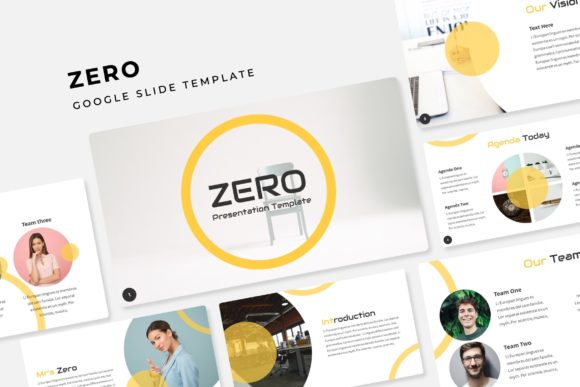
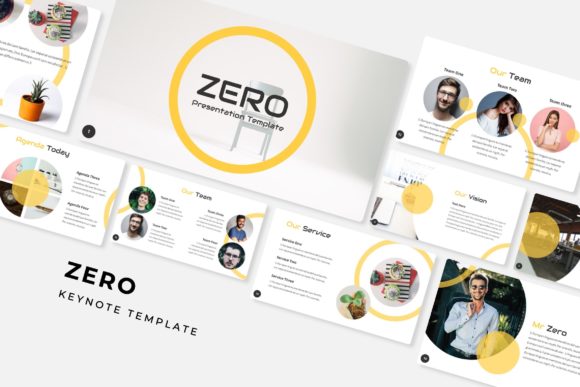
At its core, the Zero template is a premium presentation toolkit designed for impact and ease of use. It delivers over 150 total slides, strategically divided across five premade color themes. Each theme contains 30 distinct slides, ensuring you have a cohesive visual language for any project, from a corporate pitch to a creative portfolio review. The structure is built on master slides, allowing for pixel-perfect consistency and effortless global edits.
Key Features for Streamlined Design
What makes this template stand out is its focus on practical, professional features. The handcrafted infographics and section break slides transform complex data into engaging visual stories. With a dedicated gallery and portfolio slide layout, showcasing your work becomes a seamless part of the narrative. Every graphic element is resizable and editable, with intuitive picture placeholders that support drag-and-drop functionality. This means you can customize the deck in minutes, not hours, without sacrificing the polished, high-end look of modern typography.
Creative Applications and Use Cases
The versatility of the Zero Keynote Template makes it suitable for a wide array of projects. Consider using it for:
- Brand Identity & Pitch Decks: Present your brand strategy, logo concepts, and visual identity guidelines with clarity and style.
- Marketing & Social Media: Create compelling campaign proposals, social media strategy presentations, and content plans that impress clients.
- Portfolio & Case Studies: Design a standout portfolio to showcase design work, photography, or architectural projects.
- Editorial & Packaging Design: Lay out mood boards, packaging mockups, or editorial spreads for client approval.
- Digital Products & Web Design: Outline website wireframes, app interfaces, or digital product roadmaps with professional flair.
The included color variations allow you to instantly match the template to a client's brand identity or the mood of your presentation, ensuring your visuals are always on point.
Tips for Choosing and Using Presentation Templates
When selecting a template like Zero, think about the specific needs of your workflow. First, assess its readability and structure. A great template uses a clear hierarchy and ample white space, making your content easy to digest. Next, consider font pairings. While the template includes a readme with its font choices, you can often enhance it by pairing its clean sans-serif elements with a complementary serif or script font for headings, adding a unique typographic touch.
Always review the full range of slide masters and included assets. The value lies not just in the number of slides, but in their thoughtful organization—infographic slides, team layouts, and quote slides save significant design time. Finally, ensure the license aligns with your intended use, whether for personal projects or commercial client work. A well-structured template like this becomes more than a file; it becomes a reliable part of your design assets, helping you maintain visual consistency and professional presentation standards across all your communications.
Choosing a thoughtfully designed presentation template is an investment in your professional image. It streamlines the creation process, allowing you to focus on your message while ensuring the delivery is visually compelling and cohesive. The right toolkit doesn't just make slides look better—it helps your ideas resonate more powerfully.