Slidecraft: A Premium Google Slide Template for Dynamic Presentations
Crafting a presentation that is both visually stunning and structurally sound can often feel like a daunting challenge. Many professionals find themselves starting from a blank slide, struggling to align elements and create a cohesive visual story. The Slidecraft Google Slide Template emerges as a comprehensive design asset, offering a solution that prioritizes both aesthetic appeal and functional efficiency, allowing creators to focus on their message rather than the mechanics of layout.
This template package is a powerful resource for anyone looking to elevate their visual communication. At its core, it is a collection of meticulously organized slides designed to serve a wide array of presentation needs. The structure is built around flexibility, providing users with a robust foundation that can be adapted to any brand or topic. It’s an ideal choice for entrepreneurs, educators, marketers, and designers who need to produce professional-looking slideshows quickly without compromising on quality or style.
A Closer Look at the Design Features
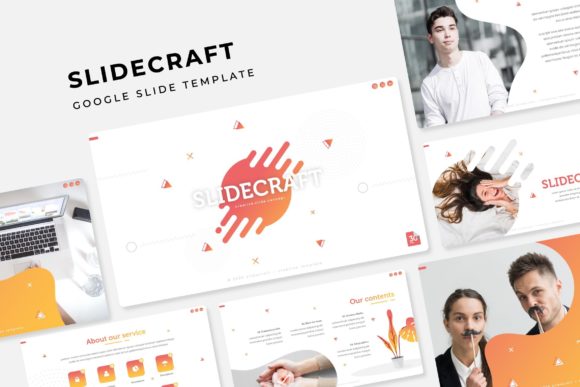
The true value of Slidecraft lies in its detailed feature set, which is engineered for practical use. The package includes over 150 total slides, organized into five distinct, premade color themes. Each color theme provides 30 unique slides, ensuring you have a variety of layouts for different sections of your presentation. This thoughtful organization helps maintain visual consistency throughout your deck, a key element of professional brand identity.
Designers will appreciate the handcrafted infographics and dedicated section break slides, which help to segment information logically and keep the audience engaged. The inclusion of gallery and portfolio slides makes it particularly useful for creative professionals who need to showcase their work visually. Every graphic element is resizable and editable, and the use of picture placeholders allows for simple drag-and-drop functionality. Built on master slides, the template ensures that every change is applied consistently, saving valuable time during the editing process.
Practical Applications for Creative Projects
While perfect for corporate reports and business pitches, the Slidecraft template’s versatility extends far beyond the boardroom. Its clean, modern typography and pixel-perfect illustrations make it a strong contender for various creative applications. Consider using it to develop:
- Brand Guidelines: Showcase your brand’s colors, fonts, and voice in a polished, organized format.
- Project Proposals: Present a compelling case for a new project with clear timelines, goals, and visuals.
- Educational Workshops: Create engaging educational materials for students or training sessions for employees.
- Portfolio Reviews: Display design work, photography, or case studies in a clean, distraction-free environment.
- Social Media Strategy Decks: Outline your content calendar and campaign ideas with visual clarity.
The ability to easily swap out colors and images means the same template can be repurposed for multiple clients or projects, making it a valuable addition to any designer’s toolkit. It functions much like a well-designed typeface—providing a reliable, professional foundation upon which to build unique creations.
Tips for Selecting and Using the Template
Before integrating Slidecraft into your workflow, consider a few practical tips to maximize its potential. First, review the included font links and test them with your own content to ensure readability and match the mood of your project. While the template suggests a specific font pairing, feel free to experiment with your own brand fonts to maintain consistency.
Secondly, leverage the premade color schemes as a starting point, but don’t hesitate to customize them using your brand’s exact hex codes. The master slide structure makes global color changes simple. Finally, always check the license agreement included in the “Readme First” file to ensure your intended use, whether for personal or commercial purposes, is covered. Remember, the preview images are for illustration, and you will use your own photographs or sourced images to personalize the slides.
Choosing a well-organized design asset like Slidecraft is an investment in efficiency and professionalism. It streamlines the creative process, ensuring your final presentation is not only informative but also visually compelling and memorable. By starting with a strong structural foundation, you free yourself to concentrate on delivering a powerful message with confidence and style.